A snapshot on the same cluster protects you from a bad deploy. It does not protect you from losing the cluster. This part sends the journal snapshot from Part 2 to a second NKP cluster, restores it there, and then makes the hourly plan from Part 3 replicate on its own.
Lab: primary itcs-nkp-mgmt-prod (NKP management cluster), target demo-wkl-02 (NKP workload cluster), both NKP 2.18 with NDK 2.3.0, both on the same Prism Element. All outputs from 2026-09-19.
All manifests in this part are in github.com/Fen0l/ndk-examples, the same files we applied on the lab.
Prerequisites
- NDK 2.3.0 installed on both clusters, each with its own
StorageClusterinAVAILABLE: true - Network path from the primary's NDK pod to the target's
ndk-intercom-service(TCP 2021) - The application namespace created on the target (we will see why)
The intercom service is the replication endpoint. On NKP it is a LoadBalancer service, so the target needs a MetalLB (or equivalent) address:
kubectl -n ntnx-system get svc ndk-intercom-service # on the target
NAME                   TYPE           CLUSTER-IP     EXTERNAL-IP    PORT(S)          AGE
ndk-intercom-service   LoadBalancer   10.97.122.69   10.12.52.252   2021:30842/TCP   25d
Remote: the primary learns about the target
A Remote is cluster-scoped and lives on the primary. It is nothing more than the target's intercom address and how to trust its certificate.
apiVersion: dataservices.nutanix.com/v1alpha1
kind: Remote
metadata:
  name: demo-wkl-02
spec:
  clusterName: demo-wkl-02
  ndkServiceIp: 10.12.52.252
  ndkServicePort: 2021
  tlsConfig:
    skipTLSVerify: true
kubectl get remote
NAME          ADDRESS        PORT   AVAILABLE
demo-wkl-02   10.12.52.252   2021   True
skipTLSVerify: true is a lab shortcut. Both NDK installs run the chart's default self-signed certificates. In production, put the target's CA in spec.tlsConfig.caBundle instead, or go to mutual TLS. The Remote is one-way: the target has no Remote pointing back, and it does not need one to receive snapshots.
ReplicationTarget: which namespace on the target
The ReplicationTarget is namespaced and lives next to the Application. It maps this namespace to a namespace on the remote cluster.
apiVersion: dataservices.nutanix.com/v1alpha1
kind: ReplicationTarget
metadata:
  name: demo-wkl-02
  namespace: ndk-howto
spec:
  remoteName: demo-wkl-02
  namespaceName: ndk-howto
kubectl apply -f 06-replication-target.yaml
kubectl -n ndk-howto get replicationtarget
NAME          REMOTE-NAME   REMOTE-NAMESPACE   AVAILABLE
demo-wkl-02   demo-wkl-02   ndk-howto          False
False. The condition says why:
{"reason":"ReachableButNotHealthy","message":"namespace not found","status":"False","type":"Available"}
NDK reaches the target, but the namespace ndk-howto does not exist there. NDK does not create it for you. This is the first thing to check when a target stays unavailable.
kubectl --kubeconfig demo-wkl-02.conf create namespace ndk-howto
We did not touch the ReplicationTarget afterwards. NDK re-checked on its own and the target went Available: True at 14:06:55Z, a bit under two minutes after the namespace appeared. Do not delete and recreate the object, just wait.
Replicate one snapshot by hand
An ApplicationSnapshotReplication is a snapshot name plus a target name.
apiVersion: dataservices.nutanix.com/v1alpha1
kind: ApplicationSnapshotReplication
metadata:
  name: journal-before-change-to-demo-wkl-02
  namespace: ndk-howto
spec:
  applicationSnapshotName: journal-before-change
  replicationTargetName: demo-wkl-02
We created it while the target was still unavailable, which is a fair test of what happens in that state:
{"reason":"InitializingSnapshotReplication","status":"False","type":"Available"}
{"reason":"ClustersNotReady","message":"ReplicationTarget is not available","status":"False","type":"Progressing"}
"replicationCompletionPercent": 0
It waited. Once the target became available it went through PrerequisitesReady and finished:
kubectl -n ndk-howto get applicationsnapshotreplication -w
NAME                                   AVAILABLE   APPLICATIONSNAPSHOT     REPLICATIONTARGET   AGE
journal-before-change-to-demo-wkl-02   False       journal-before-change   demo-wkl-02         3m
journal-before-change-to-demo-wkl-02   True        journal-before-change   demo-wkl-02         4m
ReplicationComplete at 14:08:12Z, about 75 seconds after the target became available, for a 2 GiB volume with a few MB of data on it. The percentage went from 0 to 100 in one step on a volume this small; expect it to move gradually on real data.
What arrives on the target
kubectl --kubeconfig demo-wkl-02.conf -n ndk-howto get applicationsnapshot
NAME                    AGE   READY-TO-USE   BOUND-SNAPSHOTCONTENT                                  SNAPSHOT-AGE   CONSISTENCY-TYPE
journal-before-change   93s   true           asc-fd129a47-fc53-4572-91b3-2c473555a3c9-1a0b9fb4f90   16s            CrashConsistent
Same name as on the primary. Three details in its spec and status are worth knowing:
spec:
  expiresAfter: 72h0m0s
  source:
    applicationSnapshotContentName: asc-fd129a47-fc53-4572-91b3-2c473555a3c9-1a0b9fb4f90
status:
  creationTime: "2026-09-19T14:08:13Z"
  expirationTime: "2026-09-22T14:08:13Z"
- The source is a snapshot content, not an application. There is no
Applicationnamedjournalon the target, and there does not need to be for a restore. - The content name is the primary's content name with a suffix. You can trace a replicated snapshot back to its origin from the name alone.
expiresAftercame along (72h), but the clock restarted: the copy expires 72 hours after it landed (14:08), not 72 hours after the original was taken (13:45). Retention on each side is independent.
Restore on the target
Same object as in Part 2, applied on the target cluster:
apiVersion: dataservices.nutanix.com/v1alpha1
kind: ApplicationSnapshotRestore
metadata:
  name: journal-restore-from-mgmt
  namespace: ndk-howto
spec:
  applicationSnapshotName: journal-before-change
kubectl --kubeconfig demo-wkl-02.conf apply -f 08-target-restore.yaml
kubectl --kubeconfig demo-wkl-02.conf -n ndk-howto get applicationsnapshotrestore -w
NAME                        SNAPSHOT-NAME           COMPLETED
journal-restore-from-mgmt   journal-before-change   false
journal-restore-from-mgmt   journal-before-change   true
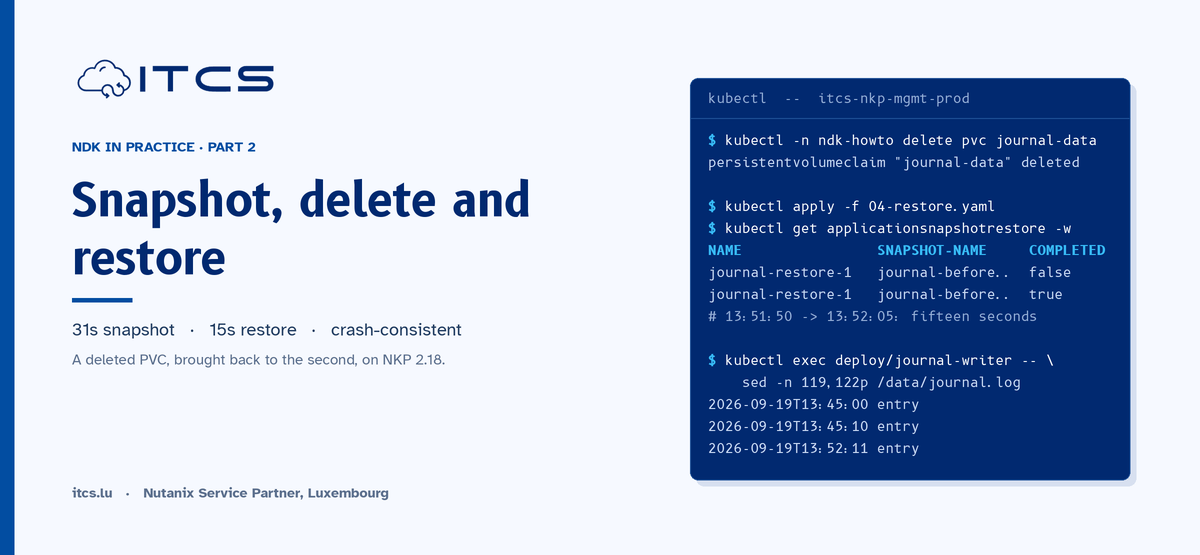
Started 14:08:30Z, VolumesRestored at 14:08:45Z. Fifteen seconds, the same as the local restore. The namespace was empty before, so every object was created: Deployment, ConfigMap, PVC.
kubectl --kubeconfig demo-wkl-02.conf -n ndk-howto get deploy,pvc,pod
NAME                             READY   UP-TO-DATE   AVAILABLE   AGE
deployment.apps/journal-writer   1/1     1            1           2m41s

NAME                                 STATUS   VOLUME                                     CAPACITY   ACCESS MODES   STORAGECLASS
persistentvolumeclaim/journal-data   Bound    pvc-546227dd-1591-4886-8108-a84285ae6cd3   2Gi        RWO            nutanix-volume

NAME                                  READY   STATUS    RESTARTS   AGE
pod/journal-writer-6fb7556dcc-6tl7q   1/1     Running   0          2m41s
And the data, on a different cluster:
kubectl --kubeconfig demo-wkl-02.conf -n ndk-howto exec deploy/journal-writer -- sh -c 'sed -n "119,122p" /data/journal.log'
2026-09-19T13:45:00 entry
2026-09-19T13:45:10 entry
2026-09-19T14:08:49 entry
2026-09-19T14:08:59 entry
Line 120 is the last one the snapshot captured on the primary (the same crash-consistent cut we explained in Part 2). Line 121 is the writer starting again on demo-wkl-02, four seconds after VolumesRestored. Two clusters, one history.
Restores are verbatim: keep manifests portable
One lesson from an earlier session on the same two clusters (2026-08-24), because it will bite you. At the time our demo Deployment had a nodeAffinity pinned to management-cluster hostnames, a workaround for a registry outage. NDK restored the Deployment on demo-wkl-02 exactly as captured, nodeAffinity included, and the pod sat Pending forever: those hostnames do not exist on the target.
NDK does not rewrite what it restores, and that is the right design. But it means anything in your manifests that only makes sense on the source cluster (node names, zone labels, a StorageClass that only exists there, a LoadBalancer IP in a Service spec) breaks a cross-cluster restore. Review the manifests of every protected application with the target cluster in mind, before you need them.
After a DR restore, the application is not protected
Look again at the target after the restore:
kubectl --kubeconfig demo-wkl-02.conf -n ndk-howto get application
No resources found in ndk-howto namespace.
The restore recreated the workload, not the NDK Application around it. If you fail over for real and stay on the target, apply the Application CR and a protection plan there. Otherwise the application runs unprotected from that moment, and it is easy to forget in the middle of an incident. Put the Application manifest in the same Git repository as the workload, and this becomes one kubectl apply.
Let the schedule replicate
Manual replication is for ad-hoc copies. For every scheduled snapshot to go to the target, the ProtectionPlan needs a replicationConfigs list. As Part 3 showed, a plan is immutable, so this is a new plan and a new binding:
apiVersion: dataservices.nutanix.com/v1alpha1
kind: ProtectionPlan
metadata:
  name: journal-hourly-to-demo-wkl-02
  namespace: ndk-howto
spec:
  protectionType: async
  scheduleName: journal-hourly
  retentionPolicy:
    retentionCount: 2
  replicationConfigs:
    - replicationTargetName: demo-wkl-02
---
apiVersion: dataservices.nutanix.com/v1alpha1
kind: AppProtectionPlan
metadata:
  name: journal-protection
  namespace: ndk-howto
spec:
  applicationName: journal
  protectionPlanNames:
    - journal-hourly-to-demo-wkl-02
The binding triggered an immediate snapshot (14:12:53Z), and with it NDK created the replication object itself:
kubectl -n ndk-howto get applicationsnapshotreplication
NAME                                           AVAILABLE   APPLICATIONSNAPSHOT                REPLICATIONTARGET
journal-316d190781390250-1c72d2d-demo-wkl-02   False       journal-316d190781390250-1c72d2d   demo-wkl-02
journal-before-change-to-demo-wkl-02           True        journal-before-change              demo-wkl-02
Naming convention: <snapshot name>-<target name>. From here on, every hourly run on the primary produces a snapshot and a replication, and the target accumulates its own copies.
Three hours later, that is exactly what both sides showed. The primary held two plan snapshots (retentionCount: 2), the target held three:
kubectl --kubeconfig demo-wkl-02.conf -n ndk-howto get applicationsnapshot
NAME                               CREATED                READY
journal-316d190781390250-1c72d2d   2026-09-19T14:13:23Z   true
journal-316d190781390250-1c72d69   2026-09-19T15:05:32Z   true
journal-316d190781390250-1c72da5   2026-09-19T16:06:56Z   true
journal-before-change              2026-09-19T14:06:56Z   true
The 14:12 snapshot was pruned on the primary and is still on the target. Primary retention does not reach across. The target keeps replicated copies under its own limit (15 by default per Nutanix's documentation), and if you want fewer, you set retention on the target side. Size your target storage for that, not for the primary's count.
One thing our lab cannot show: both clusters sit on the same Prism Element (PIKACHU). Replication works, the data moves between two volume groups on the same storage, and it is a valid test of the NDK mechanics. It is not disaster recovery. For that, the target's StorageCluster points at a different PE, ideally a different site, and the same manifests apply unchanged.
Summary
Cross-cluster replication in NDK is a Remote (cluster-scoped, on the primary, pointing at the target's intercom service), a ReplicationTarget (namespaced, maps to a namespace that must already exist on the target), and either a manual ApplicationSnapshotReplication or a ProtectionPlan with replicationConfigs. A restore on the target is the same 15-second operation as a local one, and it brings back the data to the second. What it does not bring back is the Application object, so re-protect after you fail over, and keep your manifests free of anything that only exists on the source cluster.
Part 5 closes the series with day-2 operations: the NDK UI and its two roles, ndkcli, Prometheus metrics, and multi-namespace applications.